Understanding Transfer Options and Value
The optimizer shows a lot of data for each transfer option. This guide breaks down what each number means and how to use them to make good decisions.
What Is a Transfer Option?
Section titled “What Is a Transfer Option?”A transfer option is which points move from your source program to the destination, and how many. There are two types:
- Single-hop (direct) — Points go straight from source to destination in one transfer. Example: Chase UR → Flying Blue at 1:1.
- Multi-hop — Points pass through one or more intermediate programs. Example: Chase UR → Marriott Bonvoy → Flying Blue. Each leg has its own ratio and settlement time.
The optimizer finds both types automatically and ranks them so you can compare.
Transfer Ratios Explained
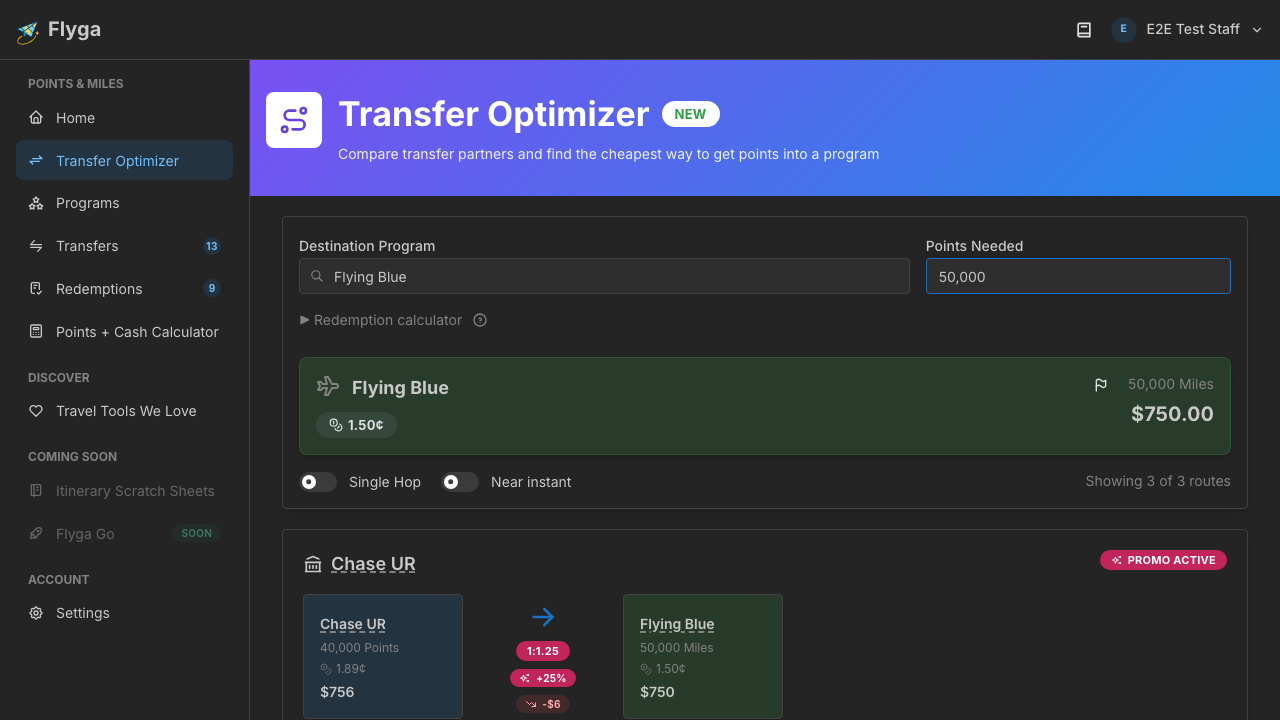
Section titled “Transfer Ratios Explained”The transfer ratio tells you how many source points produce one destination point:
| Ratio | Meaning | Example |
|---|---|---|
| 1:1 | One source point = one destination point | 50,000 Chase → 50,000 Flying Blue |
| 2:1 | Two source points = one destination point | 100,000 Marriott → 50,000 Flying Blue |
| 1:1.5 | One source point = 1.5 destination points (bonus!) | 50,000 Amex → 75,000 during 50% bonus |
A 1:1 ratio isn’t always the best deal. What matters is the value on each side of the transfer — which is where CPP comes in.
Cents-per-Point (CPP)
Section titled “Cents-per-Point (CPP)”CPP is the standard way to measure what loyalty points are worth. Flyga assigns a CPP valuation to each program and shows it alongside each transfer option.
- Source CPP — What your points are worth before transferring (e.g., Chase UR at 2.0¢)
- Destination CPP — What the destination program’s points are worth on average (e.g., Flying Blue at 1.2¢)
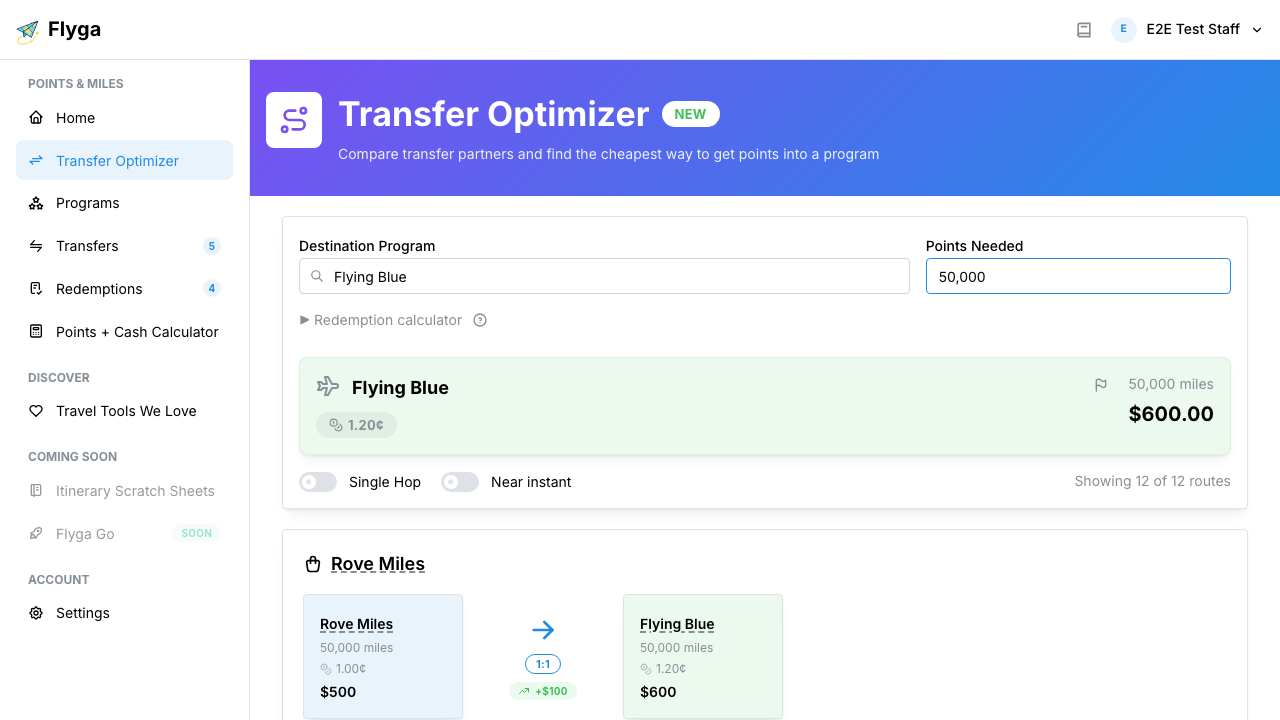
The value change column combines the ratio and CPP to show whether you’re gaining or losing value:
- Green (positive) — The destination points are worth more per point than what you gave up. You’re creating value.
- Red (negative) — You’re losing value on paper. The destination points are worth less than what you sent.
- Gray (neutral) — Roughly the same value before and after.
When “Losing” Value Makes Sense
Section titled “When “Losing” Value Makes Sense”Here’s the counterintuitive part: a transfer that looks bad on the value change column can still be a great decision. CPP is an average valuation — it tells you what points are typically worth. But specific redemptions can far exceed the average.
Example: You transfer 60,000 Marriott points to get 25,000 airline miles (a 2.4:1 ratio with a big negative value change). But you use those 25,000 miles for a $800 domestic first class ticket — that’s 3.2 cents per mile, well above the program’s 1.4¢ average.
The value change tells you the cost of the transfer. Your redemption determines whether the cost was worth it. That’s why the Redemption Calculator exists — it lets you factor in what you’re actually booking before you transfer.
Reading Multi-Hop Transfers
Section titled “Reading Multi-Hop Transfers”Multi-hop transfer options show each leg separately. Pay attention to:
- Total ratio — The combined conversion across all legs (e.g., 3:1 overall through a 1:1 + 3:1 chain)
- Intermediate value — You might lose value on one leg but gain it on another
- Settlement time — Each leg has its own settlement period. A two-hop transfer might take twice as long as a direct transfer.
Multi-hop transfers are worth considering when there’s no direct transfer or when a bonus promotion on one leg makes the detour cheaper overall. See Strategies for Common Scenarios for real-world decision frameworks.